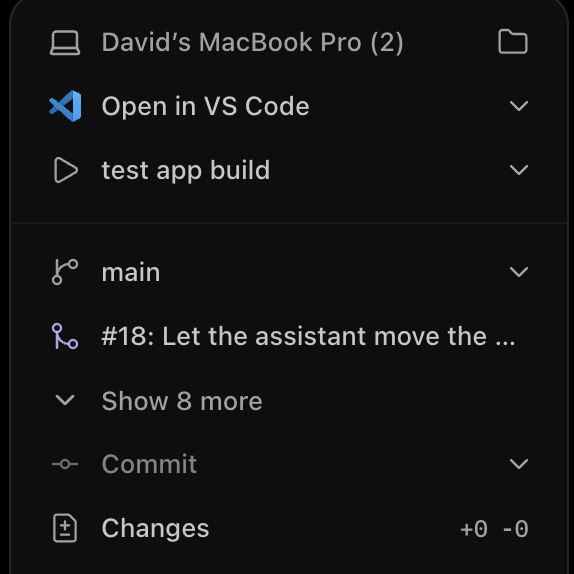
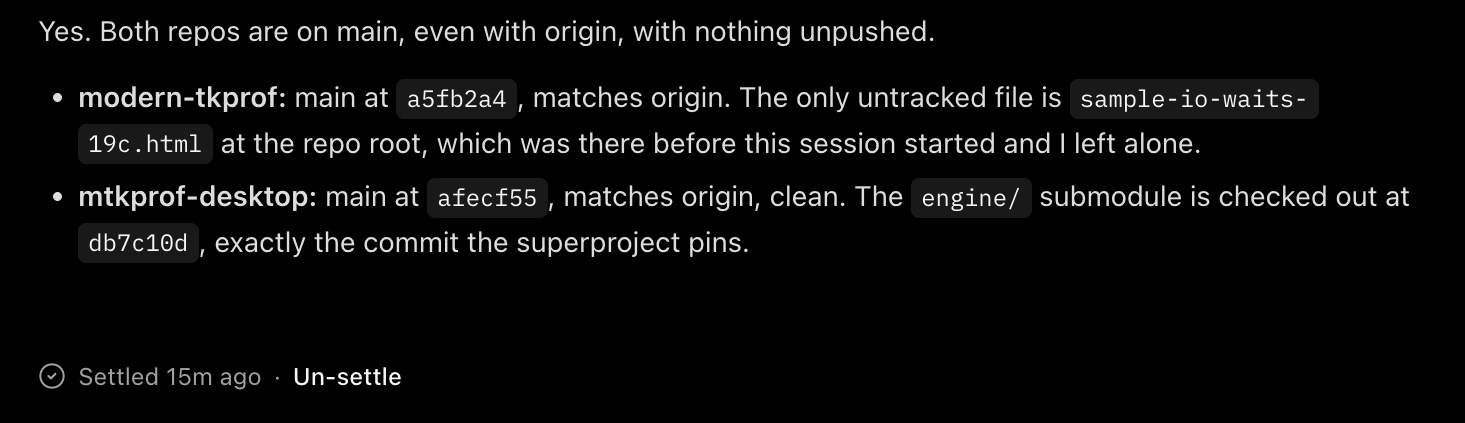
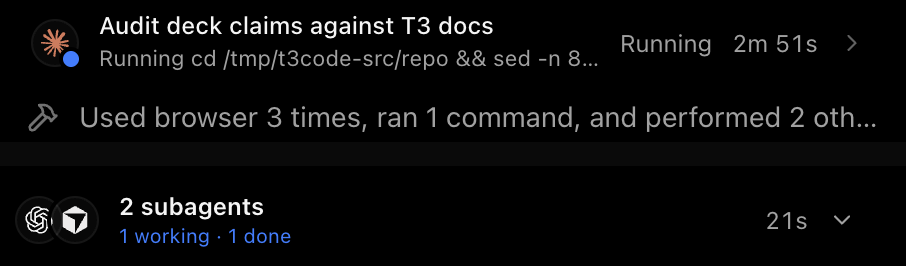
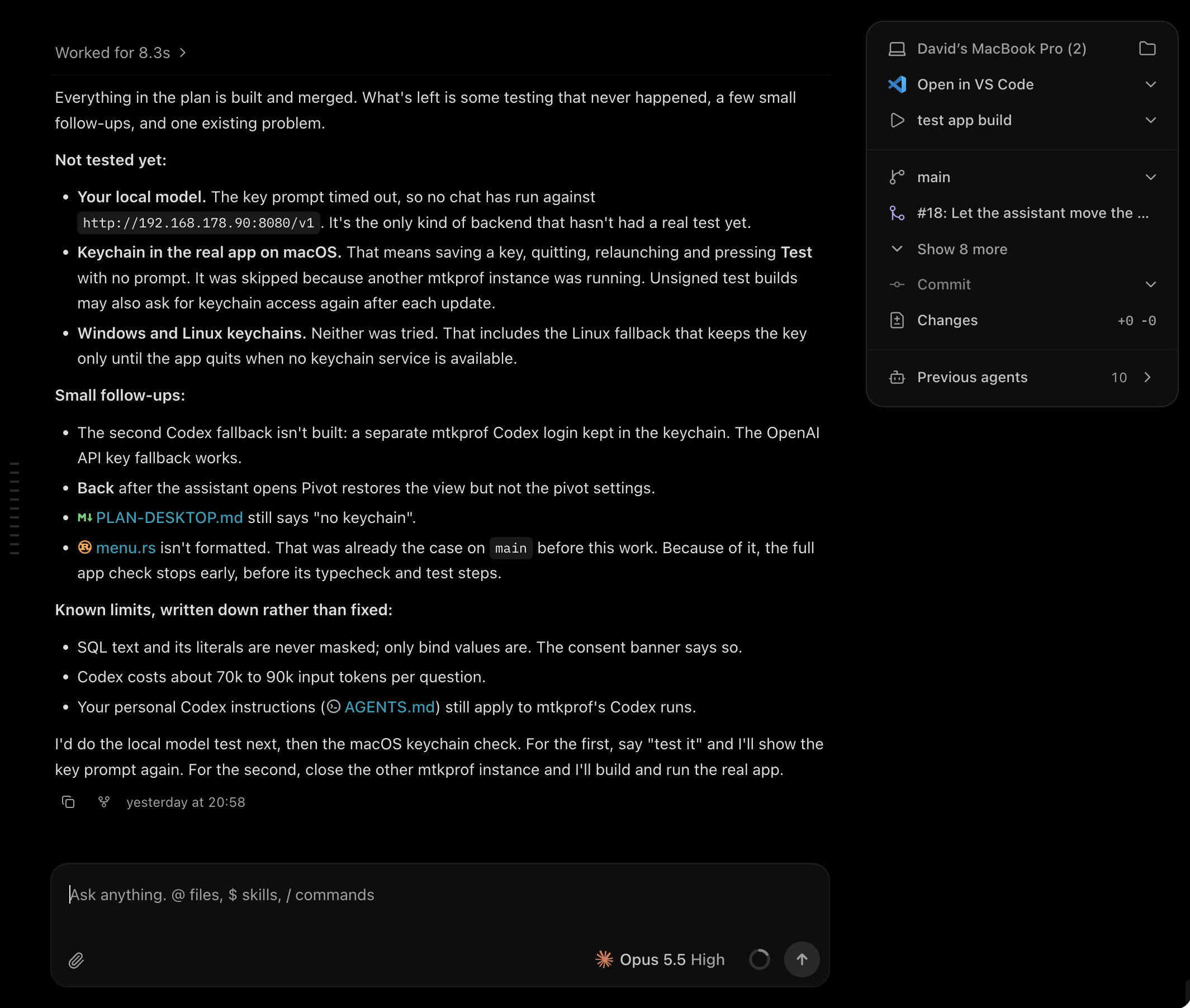
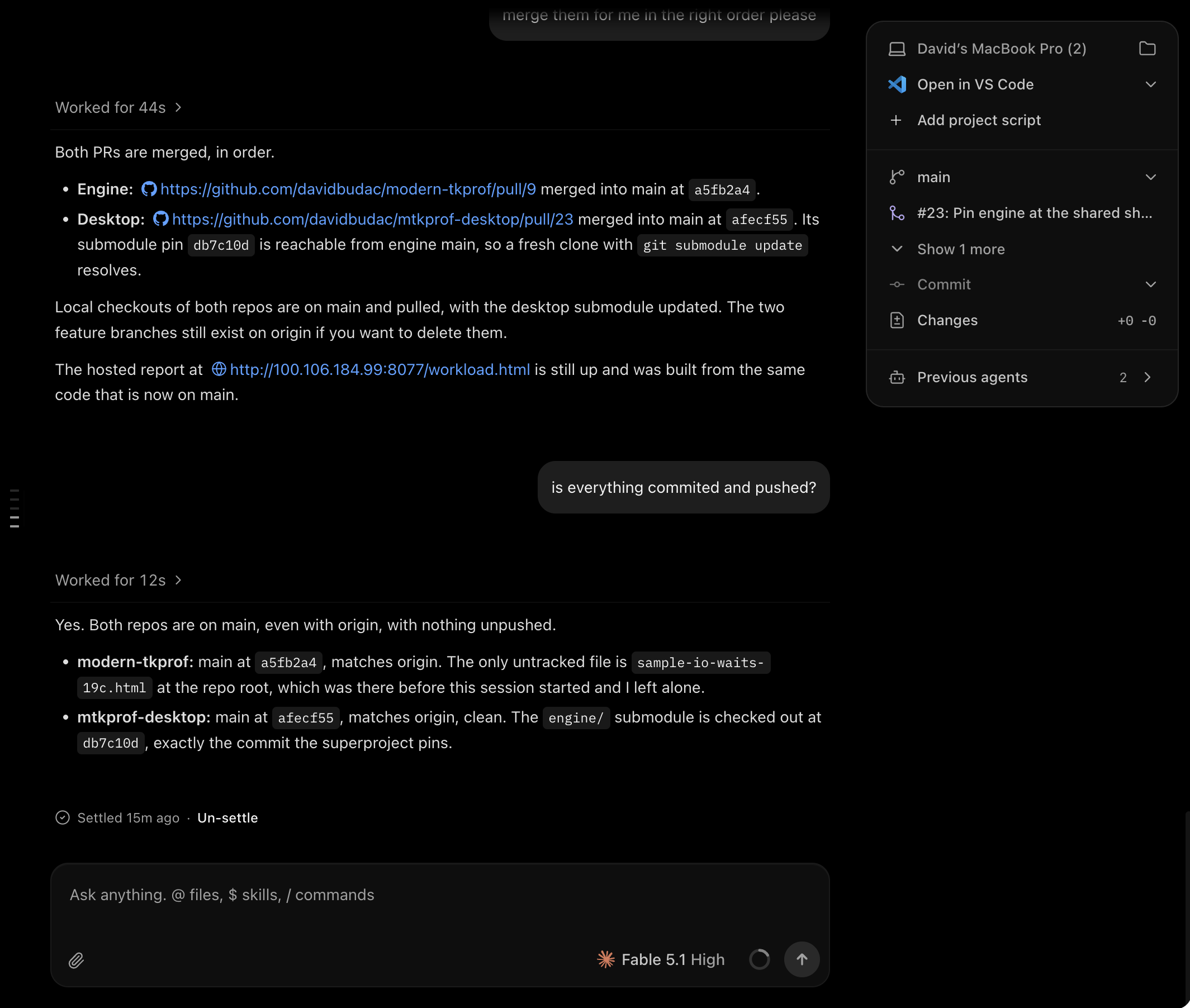
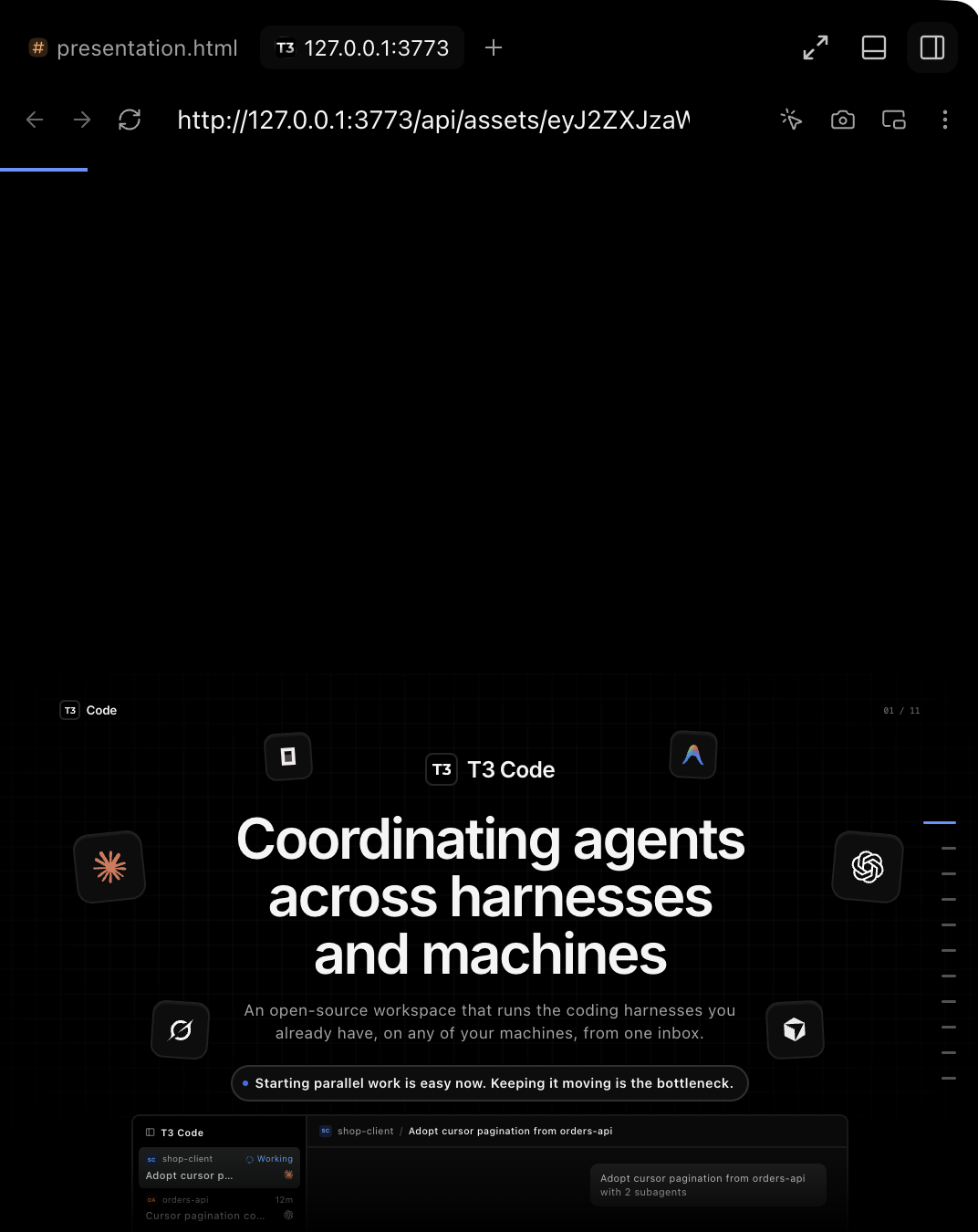
The hard part of running several agents is keeping track of them.
David Budac·
Timing: 0:00–0:30 (30 seconds)
Figure: the T3 Code wordmark over the title, six harness tiles (OpenCode, Gemini, Claude, Codex, Grok, Cursor) drifting around it, and a plain byline: David Budac · Tuesday, 3 November 2026.
Docs: README.md ("agent harness control surface"; desktop, web, iOS and Android clients), docs/user/faq.md ("T3 Code uses those harnesses. It is not a harness, and it does not work without one."; free, MIT, bring your own subscription).
"Inbox" is the talk's word; the docs say active list, Working, Snoozed, Settled. Slide 4 defines it.
The bold line is the presenter's framing.
Source: https://www.youtube.com/watch?v=uLGxb4F3SyI&t=267s (4:27–6:10)
Deck source: Theo, “T3 Code broke me”, published 2026-10-29. https://www.youtube.com/watch?v=uLGxb4F3SyI
Claims checked against the official docs in github.com/pingdotgg/t3code on 2026-11-01; the audit with quotes is in research/docs-audit.md. Each slide's Docs: line names the files behind it.
Feature availability describes the docs and the walkthrough at that date. Example prompts are proposed adaptations, not quotations or completed demonstrations.
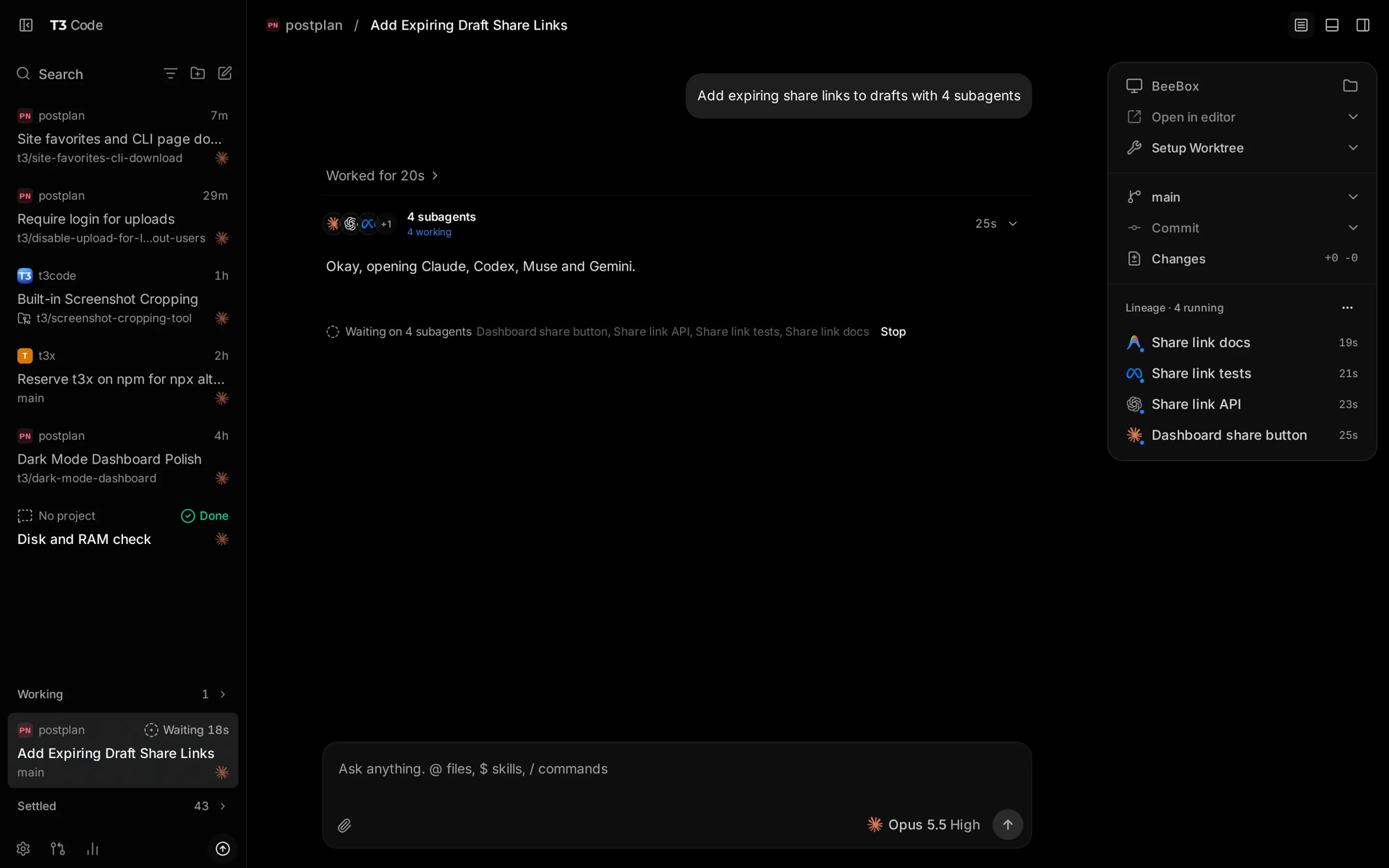
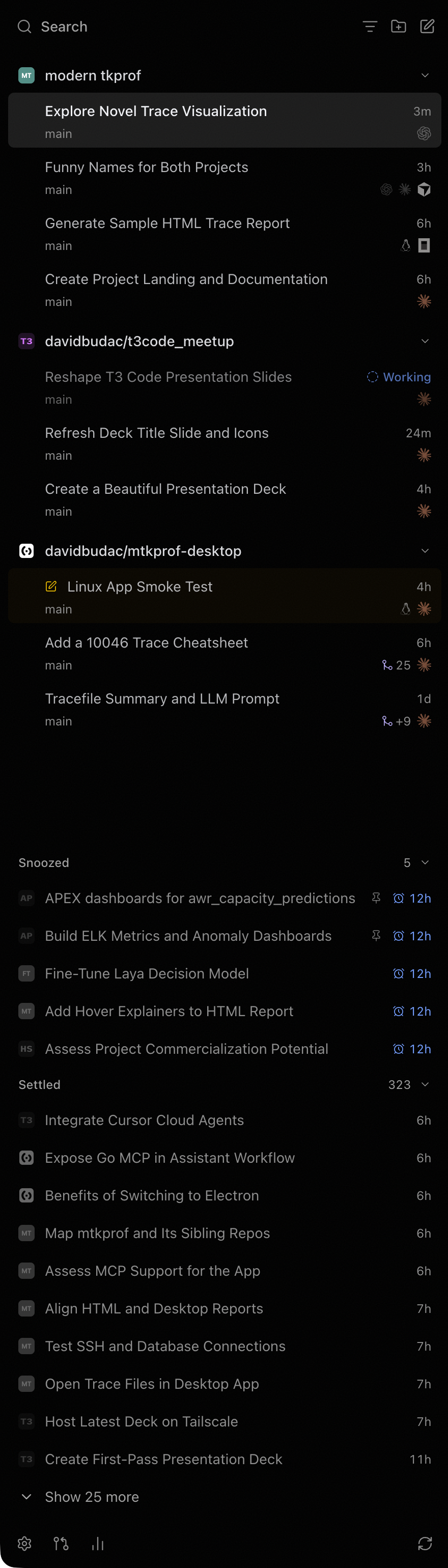
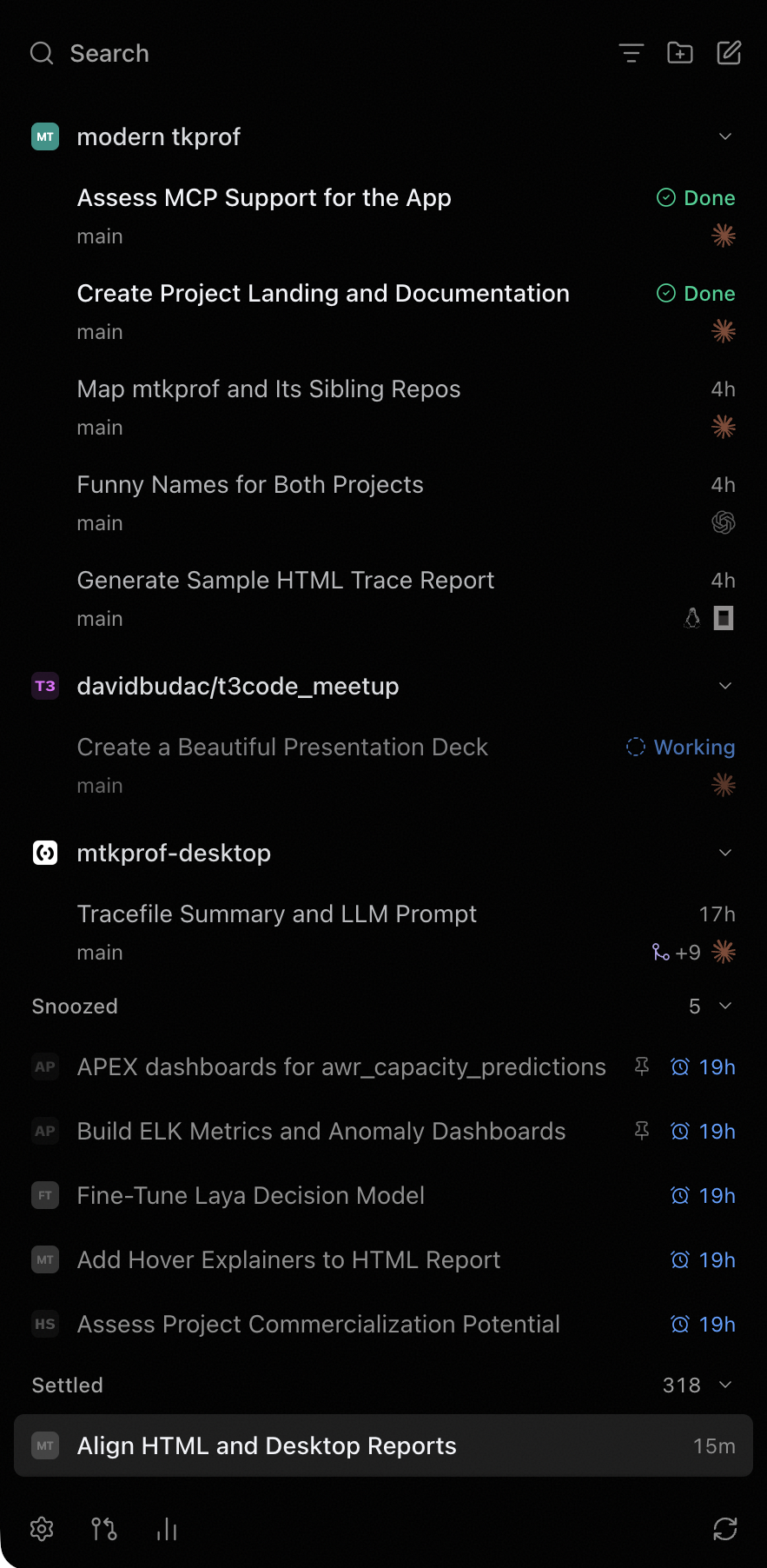
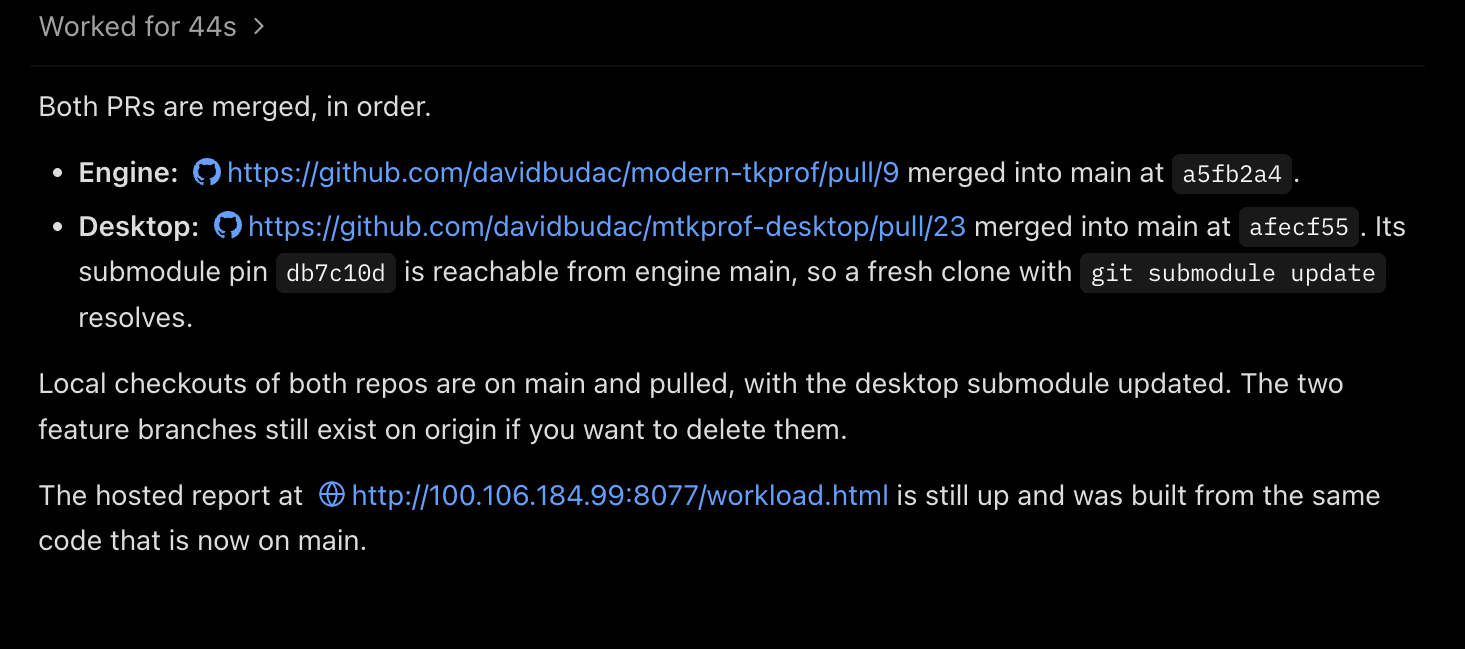
Running example, carried through the figures: a client change in shop-client that adopts cursor pagination from orders-api. Delegates review it, the work runs on a remote machine, and the thread settles when its PR merges. The figures are mock panels in the product's visual style, not real screenshots, except slide 2 (the real desktop app, then two diagrams) and slides 4, 5, 6, 10 and 13, which carry screenshots of the presenter's own T3 Code desktop app captured 2026-11-01. Slide 11 is a live demo. There is no appendix; the fit assessment and the limits live in the notes of slide 15.
Code02 / 15
What T3 Code is
A control surface for the coding agents you already have.
Desktop, web and phone, the same threads
A server on each machine drives its agents
Local or remote, over T3 Connect
123
1Projects and threads, grouped by state
2One request, four delegates running
3Branch, changes and lineage
t3.codes · the desktop app
You
Desktop appmacOS · Windows · Linux
Browserapp.t3.codes
PhoneiOS · Android
one account · the same threadsT3 ConnectTailscale LAN
linuxboxLinux · remote · your machineone T3 Code server per machine
T3 Code server
t3 up · background service
starts and drives the agents here
keeps threads, inbox, files, PRs
serves every client you own · MCP
Claude Codeyour login · its CLI2 running
Codexyour login · ChatGPT sign-in1 reviewing
Cursoryour login · its CLIidle
The work itselfshop-client · orders-api · worktrees · browser · terminal
One server per machine: it drives the agents installed there and serves every client you own.
OAorders-apiWorkingRun the slow-query suitelinuxbox
IAios-appWorkingOnboarding flow on iPhone 17mac-mini
Snoozed1
Settled43
phone: a push when a thread needs you
same machineT3 ConnectTailscale
mainbooklocalthis Macserver
This deck. Small edits while the other two work.
1 working
linuxboxremoteLinux · t3 upserver
Linux builds, long test runs, the live demo.
1 working1 needs you
mac-miniremotemacOS · Xcodeserver
iOS simulators, streamed back to the laptop or phone.
1 working
In use: one inbox on the laptop, three machines doing the work. The next slides take this apart.
Timing: 0:30–1:40 (70 seconds)
Three states. (1) The real desktop app with three callouts: projects and threads grouped by state, one request with four delegates running, branch, changes and lineage. Show what it looks like first; the next slide says what is different about it. (2) First keypress: one remote machine in detail. Your clients (desktop app, browser, phone; one account, the same threads) connect over T3 Connect, Tailscale or LAN to the T3 Code server on linuxbox. That server is the piece that talks to the harnesses: it starts Claude Code, Codex or Cursor with your own logins, keeps the threads, the inbox, the files and the PR links, and serves every client. (3) Second keypress: the same thing three times, without the detail. One inbox on the laptop lists threads from mainbook, linuxbox and mac-mini; each machine runs its own server and its own agents.
Capture (included, assets/captures/02-app-overview.png): landing-page screenshot of the desktop app from t3.codes.
Say: it is a client plus a per-machine server, not a model and not a harness. The agents are the ones you already pay for and have logged in. Antigravity and Codex need no CLI; the docs also list Pi and Muse Code. Your code goes from your machine to your provider, not to T3's servers.
Docs: README.md (clients, provider list, "Wait, what are you selling me? Nothing."), docs/user/install.md (providers table, `curl -fsSL https://t3.codes/install.sh | sh`, `npx t3@latest`), docs/user/remote-access.md ("T3 Connect": `t3 up` asks how other devices reach the machine; on Linux and macOS it installs a background service, on Windows it prints `t3 serve`), docs/user/background-service.md, docs/user/faq.md ("Does my code go to T3 servers?", "Does it work on Windows, Mac, and Linux?").
Source: https://www.youtube.com/watch?v=uLGxb4F3SyI&t=267s (4:27–6:10)
Code02 / 15
What T3 Code is
You
Desktop appmacOS · Windows · Linux
Browserapp.t3.codes
PhoneiOS · Android
one account · the same threadsT3 ConnectTailscale LAN
linuxboxLinux · remote · your machineone T3 Code server per machine
T3 Code server
t3 up · background service
starts and drives the agents here
keeps threads, inbox, files, PRs
serves every client you own · MCP
Claude Codeyour login · its CLI2 running
Codexyour login · ChatGPT sign-in1 reviewing
Cursoryour login · its CLIidle
The work itselfshop-client · orders-api · worktrees · browser · terminal
One server per machine: it drives the agents installed there and serves every client you own.
OAorders-apiWorkingRun the slow-query suitelinuxbox
IAios-appWorkingOnboarding flow on iPhone 17mac-mini
Snoozed1
Settled43
phone: a push when a thread needs you
same machineT3 ConnectTailscale
mainbooklocalthis Macserver
This deck. Small edits while the other two work.
1 working
linuxboxremoteLinux · t3 upserver
Linux builds, long test runs, the live demo.
1 working1 needs you
mac-miniremotemacOS · Xcodeserver
iOS simulators, streamed back to the laptop or phone.
1 working
In use: one inbox on the laptop, three machines doing the work. The next slides take this apart.
Code03 / 15
What it adds to the agent you already use
Claude Code, Codex and Cursor keep doing the work. T3 Code sits around them.
Your agent in a terminal or an editor
With T3 Code
A window per agent. You go round and check each one.
One inbox for every threadWorking threads fold away. A question or a finished run brings one back, and your phone buzzes.
slide 4
You tidy up after the PR lands.
Threads that close themselvesThe PR is linked from the branch. When it merges, the thread settles.
slide 4
One harness per session. A second opinion means copy and paste.
Delegation across harnessesA thread hands work to Codex, Claude Code or Cursor and gets the findings back.
slides 5, 6
SSH in and run the agent over there.
Any of your machines, from any devicePick the machine when you start a thread. Desktop, web or phone. Machines can call each other.
slides 7–9, 11
Files, previews and devices stay wherever the agent ran.
The work follows the threadAttachments land on the right machine; results open here. Projects clone across machines.
slide 10
Automation means a shell script and cron.
An interface for your other toolsMCP for outside agents, scheduled tasks, webhooks from GitHub.
slide 12
Timing: 1:40–2:40 (60 seconds)
Figure: six rows. Left, what you do today with an agent in a terminal or an editor; right, what T3 Code adds, with the slide that shows it. No steps; read down the right column.
Say: none of this replaces the agent. Every row is something you otherwise do by hand around the agent: checking windows, tidying after merges, pasting findings between tools, SSH sessions, scp, cron. The rest of the talk is one slide per row, inbox first because it is the part you use every day.
Docs: docs/user/thread-sidebar.md (Working, Snoozed, Settled), docs/user/source-control.md ("Linked pull requests"), docs/orchestration-v2/orchestrator-mcp-server.md (`delegate_task`), docs/user/remote-access.md (machines, "Link another environment"), docs/user/composer.md ("Attach files", "Attached files"), docs/user/outside-agents.md, docs/user/project-settings.md ("Scheduled tasks", "Webhook automations").
Comparison framing: describe the manual step each capability removes; do not claim another product lacks each feature.
Code04 / 15
An inbox for work that needs you
Send a task, forget it, and let it come back when it needs you.
Timing: 2:40–4:30 (110 seconds)
Figure: the workflow as five steps, one per keypress, with no bullets beside it: send it (folds into Working), it needs you (back to the top, push to the phone), answer or snooze (a snoozed thread keeps working), the PR opens (linked from the branch, optionally watched), the PR merges (the thread settles itself). Under the strip, three crops of the real sidebar captured today: the active list with a Working badge, Snoozed with wake times, Settled with 323 threads. Last keypress: the earlier captures of a thread whose two PRs merged, its linked PR panel, and the Settled footer with Un-settle.
Captures (included): assets/captures/local/04-inbox-sidebar-now.png (today), 09-inbox-sidebar.png, 09-prs-merged.png, 09-pr-panel.png, 09-settled-footer.png.
Say: the Working section is beta and on by default (Settings → General → Working section). A snoozed thread keeps working and wakes early only for an approval, an answer, a failure, or a message from you. By default an environment settles threads whose PR merged, and inactive threads after three days; per thread, Auto-settle behavior → Disabled. The PR link is found from the thread's branch automatically. Ask the agent to watch a PR and the server checks it every two minutes, waking the agent on a failed check, passing required checks, a new comment or review, or a conflict. Settle, snooze and archive have a five-second undo. Phone notifications need T3 Connect (sign in, link the environment, Settings → Notifications → Device Notifications); a direct or Tailscale connection alone does not deliver push. Live Activities on iOS and Live Updates on Android 16 show the running agent on the lock screen.
Close on Theo's framing (16:06): “Every time you open a thread, the goal should be to close it.”
Docs: docs/user/thread-sidebar.md ("Fold working threads (beta)", "Snooze until later", "Settle finished work", Settings → Threads), docs/user/source-control.md ("Linked pull requests": automatic linking, `watch_pull_request`, Auto-settle merged threads), docs/user/mobile-notifications.md.
Why it matters: working, waiting, snoozed, and settled support different decisions. It removes checking on running agents and tidying after a merge.
Sources: https://www.youtube.com/watch?v=uLGxb4F3SyI&t=966s (16:06–20:53), https://www.youtube.com/watch?v=uLGxb4F3SyI&t=1811s (30:11–30:52, PR monitoring)
Keep this slide if running late.
Code04 / 15
An inbox for work that needs you
Local capture · the inbox
Local capture · two PRs merged
Local capture · linked PRs
Local capture · settled after the PRs merged
Code05 / 15
Delegation across harnesses
One thread does the work and asks two other harnesses to check it.
SCshop-client/Adopt cursor pagination from orders-api
Example requestImplement cursor pagination, then have Codex and Cursor review it.
Worked for 6m 12s
Implemented, tests green.
2 subagents2 working2 done48s
Waiting on 2 subagentsStop
Findings returned2 of 2
useOrders.ts:17No path for an expired cursor
OrdersList.tsx:88Empty page keeps the spinner forever
Local capture · a thread with Codex, Cursor and Claude delegates
Local capture · a thread's PRs and previous agents
Timing: 4:30–6:20 (110 seconds)
Figure: the coordinating thread (shop-client, “Adopt cursor pagination from orders-api”), with no bullets beside it, so say the points: Claude Code implements, Codex and Cursor review independently; each delegate is its own thread, in its own worktree if asked; findings return to the thread that asked; a delegate gets no more permission than its parent. Claude Code implements the change in the thread itself, then launches two reviewers through other harnesses: Codex for cursor edge cases, Cursor for the loading and empty states, each in its own worktree because the request asked for one. First keypress: the two findings come back with file references. Second keypress: the presenter's own thread with Codex, Cursor and Claude delegates, and a thread's PR list and previous agents.
Why this example: a second model family catches different things than the one that wrote the code. The point is independent review across harnesses and accounts, from inside the thread, with no copying between windows.
Say: the delegate sees only the task text, not the parent conversation, so write a self-contained request and name the files. Permissions are per thread (Supervised, Auto-accept edits, Auto, Full access; chosen in the composer, default in Settings → Threads) and a delegate cannot escalate past its parent. Worktrees: a thread can start in a new worktree, project setup scripts prepare it, and cleanup policies in Settings → Worktrees retire old ones (off by default). The tool behind it is `delegate_task` (role, async or wait mode, target provider and model); `orchestrator_capabilities` lists which providers can take a task. In the app, the Agents view follows delegated work, and Stop on the parent stops its delegates.
Docs: docs/orchestration-v2/orchestrator-mcp-server.md ("delegate_task": Codex, Claude Agent SDK, Cursor, Grok, OpenCode, Pi, Antigravity, ACP agents; "The child receives only the supplied task prompt"; "It may not escalate privileges"; `isolation: worktree`), docs/user/thread-sidebar.md ("Inspect agent work"), docs/user/permission-modes.md, docs/user/project-settings.md ("Storage cleanup"), docs/user/faq.md ("Worktrees are eating my disk").
Source: https://www.youtube.com/watch?v=uLGxb4F3SyI&t=370s (6:10–7:34)
Code05 / 15
Delegation across harnesses
Local capture · a thread with Codex, Cursor and Claude delegates
Local capture · a thread's PRs and previous agents
Code06 / 15
Threads can coordinate across projects
Start simple: a thread in one repo can read a thread in another.
1Attach a thread
OAorders-api
1dRate-limit admin endpoints
12mCursor pagination contractmain
shop-client · new threadMatch the contract in OACursor pagination contract.
Opus 5.5 High
2Threads talk to each other
SCshop-client/Adopt cursor pagination
Is the cursor opaque?
askanswer
OAorders-api/Cursor pagination contractReplied
Opaque. Pass it back unchanged.
Local capture · one thread, two repos, two merged PRs
Timing: 6:20–7:30 (70 seconds)
No bullets beside the figure, so say the points: attach any thread on the machine, whatever its project (type @ and part of its title, drag it from the sidebar, or Copy thread and paste); the agent reads it only when it needs to, so a long thread costs nothing until then; going deeper, agents can ask and answer other threads themselves; one thread can end in PRs in two repositories.
Figure, in three steps. (1) The simple version on arrival: drag the “Cursor pagination contract” thread out of the orders-api sidebar into a shop-client composer, or type @ and part of its title; the agent reads that thread when it needs to. Precision on @: the composer advertises @ for files, and the same menu matches a thread only once you type part of its title; there is no thread or project browser behind @. The docs scope the pick to "the same server", so any thread on that machine qualifies, whatever project it belongs to; they do not say "another project". Copy thread on any client puts a chip on the clipboard that pastes into a composer. (2) First keypress, deeper: threads talk to each other. The shop-client agent asks the orders-api thread a question through the orchestration tools (`t3_thread_send`) and waits for the answer; the API thread answers from its own history, without re-reading the API code. Its full answer: an expired cursor returns 410 and the client restarts from the first page. (3) Second keypress: the presenter's own settled thread whose work ended in two merged PRs in two repositories.
Say: attaching a thread only carries a reference; the agent reads its history on demand, so a long thread costs nothing until it looks. Attaching does not change the other thread. If you want the agent to ask before editing, say so in the prompt; T3 Code does not enforce it. With Linked environments (beta, Settings → Labs) the same works across your machines.
Docs: docs/user/composer.md ("Context in your message": "Another thread can be context too. Type `@` followed by part of its title to pick one from the same server, or from a machine it links to while the Linked environments beta is on"; drag a thread out of the sidebar onto the composer; **Copy thread** pastes as a chip; "Attaching a thread does not change it, and the agent cannot send messages to it unless you ask"), docs/user/thread-sidebar.md ("Find and reference work"), docs/orchestration-v2/orchestrator-mcp-server.md (`t3_thread_launch`, `t3_thread_send`, `t3_thread_wait`, `t3_thread_read`; a target thread may not run with broader modes than the caller), docs/user/remote-access.md ("Link another environment").
Sources: https://www.youtube.com/watch?v=uLGxb4F3SyI&t=454s (7:34–8:34), https://www.youtube.com/watch?v=uLGxb4F3SyI&t=1708s (28:28–28:55)
Shorten this slide if running late: show step 1 and the capture.
Code06 / 15
Threads can coordinate across projects
Local capture · one thread, two repos, two merged PRs
Code07 / 15
T3 Code is a server you can connect to
The desktop app is only one of its clients.
linuxbox $ t3 up
linuxbox $ t3 pair
linuxboxserver
Claude CodeWorking 4m
Codexreview done
shop-client, orders-api
Threads, inbox, PRs
Terminals, browser tabs
repos, logins, agents: all here
Desktop app · mainbookpaste the linklid closed, agents keep working
Phonescan the QR codeanswer from anywhere
Any browserapp.t3.codesnothing to install
Claude Code in a terminal/mcp · read onlyreads or starts threads
A teammate betaguest link · 24 hyou approve each message
t3 up
t3 pair
walk away
Timing: 7:30–8:30 (60 seconds)
Figure: left, a terminal on linuxbox and, under it, the T3 Code server it starts: Claude Code and Codex running, the threads, inbox and PR links, terminals and browser tabs; repos, logins and agents stay on that machine. Right, five clients. Below, three tabs instead of bullets: `t3 up`, `t3 pair`, walk away. On arrival the clients are dim. Keypress 1 highlights `t3 up`. Keypress 2 adds `t3 pair`, draws a line from the server to every client and shows how each one connects. Keypress 3 (walk away) adds what each one is good for, in green.
Say the points that left the slide: `t3 up` on any Mac or Linux box keeps it running as a background service; `t3 pair` prints a one-time link and a QR code; close the laptop and the agents keep working, check in from the phone or any browser. One server per machine; clients talk to it over HTTP and WebSocket and none of them has to stay open. Each client pairs once and gets its own session and permissions; revoke any of them in Settings → Sharing & access.
Say: every T3 Code install is a server, and everything you look at is a client of it. A client joins one environment over HTTP and WebSocket; the server owns the providers, the execution, the files and the state. On your own Mac, `t3` on its own starts the server and opens its web app in the browser, `t3 serve` runs it without one, and the desktop app carries its own (closing its last window stops it). On a box with no screen, `t3 up` asks how other devices reach it (T3 Connect, the local network, or both) and on Linux and macOS installs a background service; on Windows it prints a `t3 serve` command instead. `t3 pair` prints a fresh one-time pairing link and QR code for a running server without restarting it: scan it with the phone app, paste it into Add environment on desktop or web, or open the printed `t3code://pair` link on a computer with the desktop app. With T3 Connect you sign in to the same account on the other device instead of pairing. The hosted web app app.t3.codes needs an HTTPS endpoint (T3 Connect or Tailscale HTTPS); for a plain HTTP LAN address, open the pairing URL directly. Outside agents connect to the server's `/mcp` address, Read only unless you choose more (slide 12 shows it). Guest links are a beta behind Settings → Labs and need T3 Connect: one browser, 24 hours, and their messages wait until you Send or Dismiss.
Good for: a VPS or desktop that keeps working while the laptop sleeps; answering an agent's question from the phone; using it from any computer with nothing installed; letting other agents and bots drive threads; showing a teammate one thread.
Access: a pairing without `--scope` gets every permission; `t3 pair --scope orchestration:read …` limits a client. Revoke sessions in Settings → Sharing & access, or `t3 auth session list` and `t3 auth session revoke <id>` on a headless host. Treat pairing links as passwords: never show a real one on screen.
Docs: docs/internals/remote.md ("Each connection joins a client to one environment over HTTP and WebSocket. The environment owns providers, execution, files, and durable state."), docs/user/install.md (CLI table: `t3`, `t3 serve`, `t3 up`), docs/user/remote-access.md ("T3 Connect", "Pair over a LAN or private network", "Hosted web app", "Manage or revoke access", "Using the Desktop App as a Remote Only"), docs/user/background-service.md, docs/user/outside-agents.md, docs/user/guest-links.md.
Shorten this slide if running late: press straight to the third state and read the green lines.
Code08 / 15
Your laptop can be the controller
Pick the machine. The repository, the tools and the agent stay there.
Add cursor pagination and run the e2e suite.
linuxboxOpus 5.5 High
Run thread on
Auto balance
mainbook this Maclocal
linuxbox LinuxLAN
mac-mini macOSTailscale
DesktopWebPhone
the thread runs there
linuxboxserver
shop-client
sc/cursor-pagination
Claude CodeWorking 2m
Changes+48−12
e2e suite41 passed
repo, deps, logins: all here
Timing: 8:30–9:25 (55 seconds)
Figure (no bullets beside it, so say the points: pick the machine in the composer when you start a thread; Auto balance picks one with free CPU and memory; the same picker on desktop, web and phone; nothing is installed on the device you hold): left, the composer with the machine button set to linuxbox and the picker open (Auto balance; mainbook, this Mac; linuxbox, selected; mac-mini). Under it the three clients that share the picker. Right, the machine the thread runs on: its T3 Code server, the shop-client checkout and branch, Claude Code working, the diff, the e2e result.
Say: the docs call a machine an environment. Auto balance is off by default (Settings → Environments → Load balancing), works on web and desktop, and is a preference per machine (Prefer, Normal, Less often, Manual only), not a traffic split; existing threads stay where they started. The literal "laptop as controller" is the desktop app with its local environment switched off. Projects, provider credentials and agent work stay on the remote machine. Mobile keeps a manual machine selection.
Docs: docs/user/remote-access.md ("Balance new threads across machines", "Using the Desktop App as a Remote Only"), docs/user/thread-sidebar.md ("Start a thread": pick another machine from the machine menu before sending), docs/user/install.md ("Providers": installation, login and configuration belong to that environment's machine).
Why it matters: it removes tracking a remote task in a separate place.
Source: https://www.youtube.com/watch?v=uLGxb4F3SyI&t=606s (10:06–14:26)
Code09 / 15
How the machines reach each other
Every machine runs a server. Three ways to connect them.
T3 Connect
Tailscale
LAN or SSH
this Macdesktop app
phoneclient only
linuxboxLinux
mac-minimacOS
T3 Connect relay
direct · your tailnetdirect · same networkagents call each other
Timing: 9:25–10:20 (55 seconds)
Figure: four devices (this Mac, a phone, linuxbox, mac-mini) under three route tabs. Each keypress highlights one tab and redraws the lines; the detail below is said, not shown. (1) T3 Connect: everything goes through the relay node in the middle (dashed): sign in on both ends, a managed tunnel from your machine, no port forwarding, works from any network, three machines free. (2) Tailscale: the relay disappears; the lines become direct over your tailnet, no machine limit. (3) LAN or SSH: the same direct lines on the local network, paired once with a link or QR from `t3 pair`, or desktop-managed SSH. In every state the machines also connect to each other, and the green line between linuxbox and mac-mini carries the point of the slide: with Linked environments an agent on one machine can start, message, wait on and stop threads on the other. It is a network of servers, not one laptop coordinating everything.
Say: T3 Connect is the easy path. Enable it on the machine (desktop app Settings → Sharing & access, or `t3 up` on a headless box), sign in on the other device and pick the machine. Traffic goes through a managed tunnel; the relay does not proxy your sessions. A free account links three machines; phones and browsers do not count; a paid T3 Chat plan raises it to 10 or 100. Tailscale: both devices on the same tailnet, then Settings → Sharing & access → Tailscale HTTPS, or `t3 serve --tailscale-serve`. LAN: turn on Network access and open a pairing link or QR from `t3 pair`. SSH: Settings → Environments → Add environment → SSH; T3 Code starts the server and the port forward on a Linux or Apple Silicon host. Pairing once over T3 Connect is enough: the app learns the machine's LAN and Tailscale addresses and adds them as routes. Routes sit in speed order, T3 Code connects over the first that answers, and moves back to a faster route when it works again. Linked environments is a beta behind Settings → Labs on both machines; `delegate_task` to a linked machine runs there in the project with the same repository.
Routes are tried by speed: T3 Code uses the first that answers and goes back to a faster one when it returns. Pair once over any route and the app learns the others; a machine keeps all its routes, and permissions apply per route.
Security lines: your code and prompts go from your machine to your provider, not to T3; T3 sends product usage events (provider, model, token totals), never prompts or file contents; `T3CODE_TELEMETRY_ENABLED=false` turns that off.
Docs: docs/user/remote-access.md ("T3 Connect", "More machines with T3 Chat", "Pair over a LAN or private network", "Reach one machine several ways", "Tailscale HTTPS", "Desktop-managed SSH", "Link another environment", "Manage or revoke access"), docs/internals/t3-connect.md, docs/user/faq.md ("Does my code go to T3 servers?"), docs/user/telemetry.md.
Shorten this slide if running late: press through the three states without commentary.
Code10 / 15
Files and projects move between machines
What the agent made over there is one click away here.
this Macwhere you sit
linuxboxruns the thread
design.png→ a real path therereport.html← Save file
SCshop-clientacme/shop-client
SCshop-clientacme/shop-client
same repo = one project
Add to another machine
Machine mac-mini ▾
.env2 KB
.env.local1 KB
node_modules/412 MB
.cache/38 MB
CancelAdd
Local capture · a file the agent produced, opened beside the thread
Timing: 10:20–11:30 (70 seconds)
Figure (no bullets beside it, so say the points: an attached file lands on the machine running the thread as a real path; what the agent produced opens beside the thread and Save file brings it here; Add to another machine clones the project and carries the untracked files you pick, such as .env; the same git repository on two machines is one project): two machines. Top arrow, this Mac → linuxbox: a file attached here becomes a real path over there that the agent can use. Arrow back: a report built over there opens beside the thread here, and Save file writes it to this device. Under both: the same project card, joined by “same repository = one project, two machines”. Below: the Add to another machine dialog, which clones the repository onto a chosen machine and carries the untracked files you tick (env files are preselected). Keypress: the presenter's own app showing a file produced by the agent, opened beside the thread.
Say: the clone goes over SSH or from the machine's own git remote, and the thread history stays with its machine. Attach up to 100 files per message; the agent receives their paths on the environment's machine. Files open beside the conversation with Copy contents and Save file; on mobile, Save or share. Add to another machine is in the app and the walkthrough, not in the user docs: it clones the git repository and copies the untracked files you select (env files up to 1 MiB are preselected), so it carries committed history plus your local secrets, not an arbitrary folder. Project identity follows the repository: a linked machine runs a delegated task “in the project with the same repository”, and the dialog names the project by its repository identity. Browser tabs, terminals and simulators also live on the machine that runs the thread, and the device stream reaches any client.
Docs: docs/user/composer.md ("Attach files", "Attached files": Save file, Save or share), docs/user/question-attachments.md, docs/user/remote-access.md ("Link another environment": "in the project with the same repository"; "Browser on a remote environment"), docs/user/devices.md. App source: apps/web/src/components/AddProjectToMachineDialog.tsx ("Add to another machine": "Clone … and bring the local files git does not track"), apps/web/src/lib/addProjectToMachine.ts.
Sources: https://www.youtube.com/watch?v=uLGxb4F3SyI&t=1991s (33:11–33:39, project transfer), https://www.youtube.com/watch?v=uLGxb4F3SyI&t=2073s (34:33–35:01, attachment files)
Code10 / 15
Files and projects move between machines
Local capture · a file the agent produced, opened beside the thread
Code11 / 15
Ask the Linux box for what this Mac cannot do
One request from this Mac to linuxbox.
Run thread on
mainbook this Mac · macOS
linuxbox Linux · LAN
Example requestBuild the Linux release of mtkprof-desktop, run it under a virtual display, and attach a screenshot of the main window. Do not push.
Opus 5.5 High
1Pick linuxbox
2Send. This Mac stays free.
3A screenshot of the Linux app comes back
Timing: 11:30–14:00 (150 seconds)
Live demo. 90 seconds of live time, then a hard cut to the pre-run thread. The slide carries no "live" marker; it reads as an ordinary slide if the demo is skipped.
Figure: a composer in app style with the machine menu showing linuxbox selected, the example request, and the three beats as a short path (machine, Working, screenshot returned).
Capture (planned): the pre-run settled thread with the agent's screenshot of the Linux app; take it with the deep-link + screencapture method once the thread exists, store as assets/captures/local/10-linux-build.png, and reveal on the slide's keypress.
Script:
- "This Mac cannot build or run the Linux version. The Linux box can. I ask it from here." Start a new thread, pick linuxbox, paste the request, send. (15 s)
- While it runs: point at the Working section, show the Mac is free, recall the inbox slide. (30–45 s)
- If the result returns: open it, show the screenshot and the build time. (30 s)
- If not back by 90 seconds: "it will come back on its own; here is the same run from this morning", switch to the pre-run thread, and keep talking. Never wait on stage.
Pre-flight, same day (linuxbox is the talk's name for the real host; it already appears in the machine menu on this Mac, confirmed 2026-11-01):
- It is online, `t3 up` is running there, and its route (T3 Connect, Tailscale fallback) works from the venue network. Test both routes before the talk.
- The project is already added on the Linux machine, the checkout is on main, dependencies are installed, and the build cache is warm from a full build that day. The live run should be an incremental rebuild.
- A virtual display works there (`xvfb-run` or equivalent) and the agent is allowed to show images from the machine.
- The pre-run thread is settled and bookmarked; know its position in the sidebar.
- Permission mode on that thread lets the build run without approval prompts; nothing in the request needs network access beyond the package cache.
Say: the task is the point, not the tool. The same thread, inbox and PR flow apply, only the machine differs. If asked how the screenshot reaches the Mac: the agent writes it on the Linux machine and T3 Code shows images from the environment in the thread.
Docs: docs/user/remote-access.md ("T3 Connect", `t3 up`, "Reach one machine several ways"), docs/user/thread-sidebar.md ("Start a thread"; "Fold working threads (beta)"), docs/user/permission-modes.md.
Keep the hard cut if running late; the pre-run thread covers the slide.
Code12 / 15
Other tools can drive the workspace
Each machine's server speaks MCP and takes schedules and webhooks.
Other agents read and start threads over MCP
Scheduled tasks run a prompt on a timer
Webhooks start a task from a GitHub event
A thread they start never gets more than the access you granted
MCP clientClaude Code in a terminal
Scheduledaily 21:00
Webhookpull_request.opened
held up to 24 h while offline
SCshop-clientWorkingReview PR #412on linuxbox · new thread per run
1GitHub opens a PR, T3 Code reviews itSettings → Scheduled tasks → On webhook
Only whenheaders.x-github-event is pull_requestbody.action is opened
PromptReview this PR: {{body.pull_request.html_url}}. Comment only on risky changes; link each remark to a file and line.
Run onlinuxbox · shop-client · new thread per run · Supervised
SecurityRequire signature (x-hub-signature-256)
From the docs: project-settings.md, “Webhook automations”. Public URL via T3 Connect.
2Claude Code in a terminal starts a T3 threaddocs/user/outside-agents.md
$ claude mcp add --transport http t3 https://linuxbox.t3connect.dev/mcp
$ claude mcp login t3 # approve once in T3 Code, pick Supervised
$ claude
> Start a thread in shop-client on linuxbox: run the e2e suite against staging and report failures. Wait for it and summarise.
● t3 · t3_thread_launch ✓ thread “E2E against staging” started
● t3 · t3_thread_wait ✓ finished in 6m 40s · 2 failures
● Two tests fail on the new cursor param: checkout.spec.ts:41 and orders.spec.ts:88. The thread has the traces.
meanwhile, in the inbox
SCshop-clientDone · 2 failuresE2E against stagingfrom Claude Code (terminal) · Supervised · linuxbox
Also without a sign-in, on the host: t3 thread start . "…" and t3 thread send <id> "…" --wait
Timing: 14:00–15:20 (80 seconds)
Figure: three inbound lines into one thread. “MCP client · Claude Code in a terminal”, “Schedule · daily 21:00”, “Webhook · pull_request.opened”. The webhook line is highlighted. Keypress: two real, documented examples. (1) The webhook automation form from Settings → Scheduled tasks: schedule On webhook, filters on `headers.x-github-event` and `body.action`, the prompt `Review this PR: {{body.pull_request.html_url}}` (the docs' own example), run on linuxbox, Require signature. (2) Claude Code in a terminal: `claude mcp add --transport http t3 https:///mcp`, `claude mcp login t3`, approve once in T3 Code and pick the access level, then ask it to start a thread; it calls `t3_thread_launch` and `t3_thread_wait`, and the thread shows up in the inbox marked as started by an outside agent.
Is this real: yes. Outside agents over MCP are documented in docs/user/outside-agents.md (Claude Code, Codex, ChatGPT, bots; Read only is the default, Supervised through Full access let them start, message and stop threads). Webhooks and schedules are documented in docs/user/project-settings.md; the placeholder syntax and the PR review prompt are quoted from there. The exact terminal transcript on the slide is a mock, not a recording.
Say: copy the MCP URL from Settings → Environments; sign-ins last 30 days and can be revoked in Settings → Sharing & access. A thread an outside agent starts cannot run with more permissions than the mode you granted. Webhook values arrive wrapped as untrusted data; turn on Require signature for GitHub; duplicates are ignored for seven days; Deliveries lists recent requests. Holding webhooks while offline (up to 24 hours) is off by default because request bodies are then stored outside your machine. The public URL comes from a T3 Connect managed tunnel. Schedules: interval, fixed time with weekdays, once, or webhook; each task runs on the environment you choose and posts into a thread or starts a new one per run.
Docs: docs/user/outside-agents.md, docs/user/project-settings.md ("Scheduled tasks", "Webhook automations").
Sources: https://www.youtube.com/watch?v=uLGxb4F3SyI&t=1063s (17:43–18:35, scheduling), https://www.youtube.com/watch?v=uLGxb4F3SyI&t=1590s (26:30–27:00, external MCP clients), https://www.youtube.com/watch?v=uLGxb4F3SyI&t=1878s (31:18–31:39, webhooks)
Shorten this slide if running late: show only example 1.
Code12 / 15
Other tools can drive the workspace
1GitHub opens a PR, T3 Code reviews itSettings → Scheduled tasks → On webhook
Shift + Shiftimage + window title, controls and text, with positions
Window snapshots
with accessibility data, desktop only
05
Opus 5.5 · Highworktree 1
GPT-5.5 · xhighworktree 2
Cursor · autoworktree 3
Shift-clickone prompt → three threads, three worktrees; keep one
One prompt, several models
a thread and a worktree each
06
/goal all tests in packages/api pass
Goalturn 4 · 38 of 41 passing · continues until met
/goal clear stops it · Codex and Claude
/goal
keeps working across turns until done
Timing: 15:20–16:40 (80 seconds)
Figure: six cards in a two-by-three grid, revealed one at a time, each with a small panel showing the feature: the model picker handing a thread from Claude Code to Codex; a real capture of an interactive HTML answer in the presenter's app (captured today); attachment chips becoming a path on the agent's machine; a SnapShot with its accessibility boxes; the picker with three models ticked; a /goal with its progress.
Pace: about twelve seconds each, in this order. One visible action, then why it helps.
Details: a handoff does not copy the outgoing provider's reasoning, tool-call state or attachments, and the history allowance defaults to about 16,000 tokens, so repeat any critical constraint in your next message. Attach up to 100 files per message; the agent receives their paths on the environment's machine; adding one to a PR is the walkthrough's example. SnapShots are off by default, desktop only, triggered with both Shift keys; macOS asks for Screen Recording, and for Accessibility only when Include app text is on. Several models: in a new thread's model picker, Shift-click models to add or remove them, choose a base branch, send; each selection starts a separate thread and worktree while you stay in the composer; web and desktop, Git projects only. Goals: with Codex and Claude, `/goal all tests in packages/api pass` keeps the agent working across turns until it judges the goal met; the thread shows Goal and its progress; `/goal clear` removes it.
Captures (included): assets/captures/local/12-html-answer.png (today). The other five panels are mocks in the app's style.
Docs: docs/user/portable-handoffs.md, docs/user/html-renders.md ("Visual replies"), docs/user/composer.md ("Attach files", "Goals"), docs/user/question-attachments.md, docs/user/snap-shot.md, docs/user/thread-sidebar.md ("Start in the background": Shift-click several models).
Sources: https://www.youtube.com/watch?v=uLGxb4F3SyI&t=1645s (27:25–27:57, harness handoff), https://www.youtube.com/watch?v=uLGxb4F3SyI&t=1337s (22:17–22:48, interactive HTML), https://www.youtube.com/watch?v=uLGxb4F3SyI&t=2073s (34:33–35:01, attachment files), https://www.youtube.com/watch?v=uLGxb4F3SyI&t=2132s (35:32–35:47, snapshots)
Several models and /goal are from the docs only; the video does not show them.
Code14 / 15
Rapid fire: running the workspace
01
Update every machine
providers, servers, app
02
Add a project to a machine
clone plus chosen .env files
03
Review and merge PRs
sorted by readiness
04
Watch a PR
wakes on checks and reviews
05
Usage and limits
resume at reset
06
T3 triage
your agent reads the logs
Timing: 16:40–18:00 (80 seconds)
Figure: same grid as the previous slide.
Pace: same. Finish by 17:10. Do not run an update or a transfer live.
Details: the update button at the bottom of the sidebar updates every connected machine in one step and can interrupt active agents; offline machines are listed and skipped. "Add to another machine" clones the repository and copies the untracked files you pick (env files up to 1 MiB are preselected); it is in the walkthrough and the app, not in the user docs, and so is the merge-readiness sort. A watched PR is checked every two minutes; watching stops on merge or close. A thread stopped by a provider limit shows Limited; choose Resume at reset, or enable Resume after usage limits in Settings → Threads, and queued messages run after the continuation. Usage shows API-equivalent cost, not your bill; `/usage-limits` in the composer shows the current model's limits. Triage opens from the command palette, or `npx t3 triage` when the app will not start; it helps you write a GitHub issue and asks before posting.
Docs: docs/user/updating.md ("Update everything at once"), docs/user/source-control.md ("Review and merge", "Linked pull requests"), docs/user/usage.md, docs/user/thread-sidebar.md ("Inspect agent work": Resume at reset), docs/user/triage.md.
Sources:
https://www.youtube.com/watch?v=uLGxb4F3SyI&t=1918s (31:58–32:29, fleet updates)
https://www.youtube.com/watch?v=uLGxb4F3SyI&t=1991s (33:11–33:39, project transfer)
https://www.youtube.com/watch?v=uLGxb4F3SyI&t=1368s (22:48–23:08, PR management)
https://www.youtube.com/watch?v=uLGxb4F3SyI&t=2176s (36:16–36:43, sort by merge readiness)
https://www.youtube.com/watch?v=uLGxb4F3SyI&t=1822s (30:22–30:52, PR monitoring)
https://www.youtube.com/watch?v=uLGxb4F3SyI&t=1388s (23:08–24:06, usage, limits, and queued prompts)
https://www.youtube.com/watch?v=uLGxb4F3SyI&t=2019s (33:39–34:30, triage)
Code15 / 15
What to take home
One inbox
Threads fold away while they work and come back when they need you. A merged PR closes its thread.
Any machine
Every box runs a T3 Code server. Pick one when you start a thread, from desktop, web or phone. Machines can call each other.
Any harness
Claude Code, Codex, Cursor and the rest, with your own logins. A thread can delegate to another harness and get findings back.
Try it this week
1Install on your laptop and on one other box, then run t3 up over there
2Send one real task to the other box. Ask the thread to have a second harness review the diff
3Open the PR, close the laptop. Check the inbox tomorrow.
Did you coordinate less?
curl -fsSL https://t3.codes/install.sh | sh · github.com/pingdotgg/t3code · MIT · free · bring your own subscriptions
Timing: 18:00–20:00 (120 seconds)
Figure: three tiles that restate the talk (one inbox, any machine, any harness), then a three-step experiment to run this week, then the question.
Say: this is a proposed experiment, not a claimed result. Step 1 is the CLI line on the slide; the desktop app is `brew install --cask t3-code`, `winget install T3Tools.T3Code`, a `.deb`, AUR or Nix, and `npx t3@latest` tries it once without installing. Step 2 is `delegate_task` behind the scenes, or New worktree when starting a thread. Step 3 needs nothing special: the PR is linked from the branch and the thread settles on merge by default.
What you still bring: your subscriptions and compute; your own route past three T3 Connect machines (Tailscale, LAN pairing and SSH have no limit); usage that grows with each parallel run (driving Claude through the Agent SDK drains the 5-hour limit faster than Claude Code directly). No local models. The README says to expect bugs; the Working section is beta.
Docs: docs/user/install.md ("Command line", "Desktop app"), docs/user/faq.md ("How much does T3 Code cost?", "Can I connect more than 3 machines with T3 Connect?", "Why is my Claude 5-hour limit draining so fast?", local models), docs/user/remote-access.md ("More machines with T3 Chat").
Keep this slide if running late.